Admissions
From the first enquiry to enrolment, one applicant record.
Enquiries and open campus events, interviews and scoring, admission decisions approved against quota plans, admission deposits and registering accepted applicants as students — the applicant record carries straight into enrolment.
How admissions run
E01 Register and follow up prospects
Admissions staff
Enquiries and contact notes
E02 Attend events and apply
Prospect
Open campus and more
E03 Interview, score, propose a decision
Admissions staff
Against a quota plan
E04 Approve or return
Approver
Not the proposer
E05 Record deposits
Finance
Paid, waived, cancelled, refunded
E06 Register as a student
Admissions staff
Into student records
Who acts, in what order. The “Classio” row is what the system does by itself.
Admissions in Classio
Admissions work means responding to people considering the school, recording selection and decisions, and seeing accepted applicants through to enrolment. In Classio every step from enquiry to deposit sits on the prospect’s record, decisions are approved by someone other than the person who proposed them, and accepted applicants are registered as students.
Last updated: October 26, 2026
Register prospects and record each contact
People considering the school are registered as prospects and followed from enquiry to contacted, open campus booked and attended, applied, interviewed, accepted and enrolled. International applicants also record nationality, Japanese level and visa readiness.
The work queue lists prospects due for follow-up, this week’s events, post-event follow-ups and scoring waiting to be done. Each contact is logged with the next follow-up date.
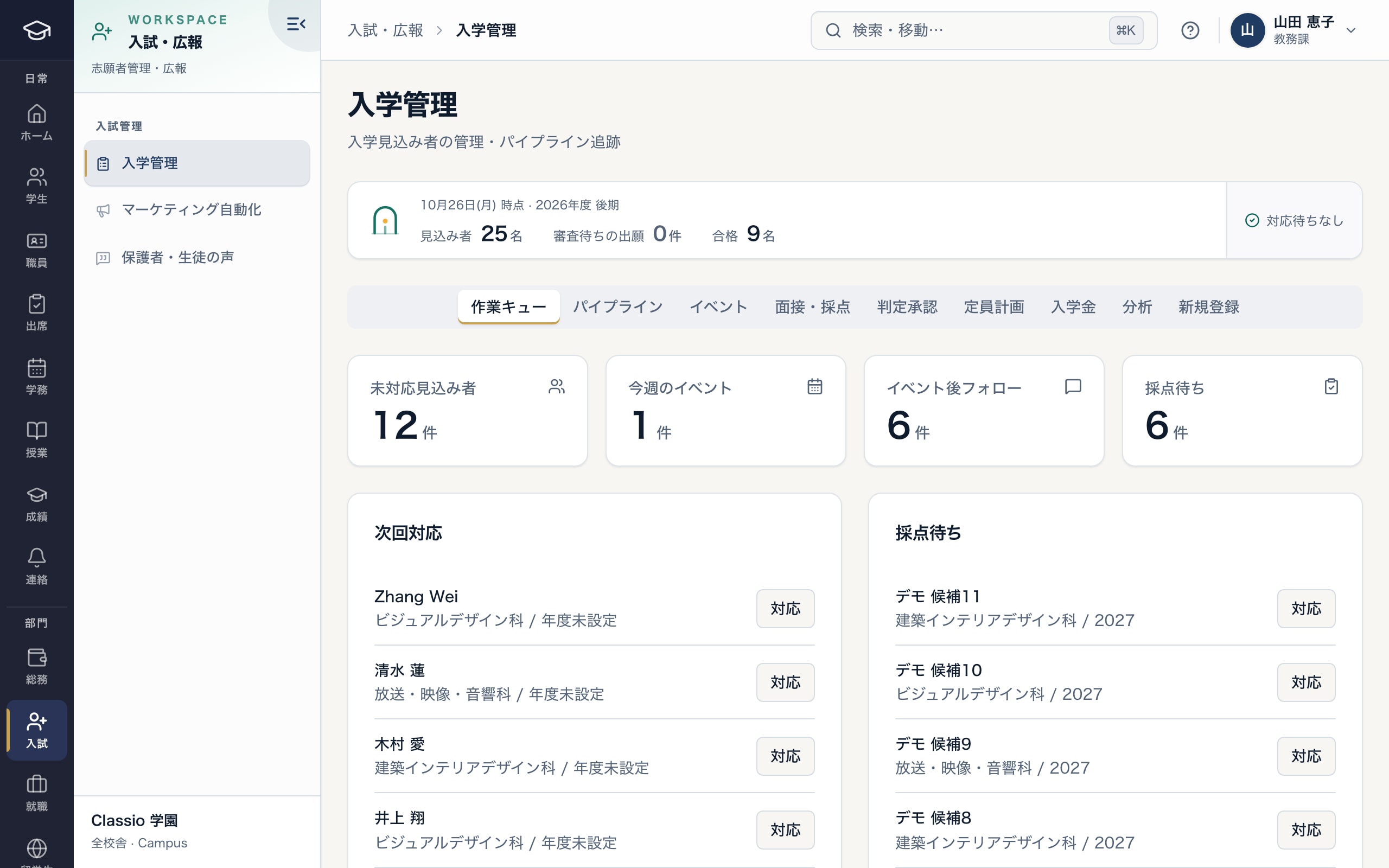
Today’s prospects, events and scoring in one place
- Work queue, pipeline, events, interviews, decisions, quotas, deposits
- Counts to follow up, events, follow-ups and scoring
- Prospects due for follow-up
Open campus events, interviews and scoring
Create events and register sign-ups; on the day mark check-in or no-show, and afterwards mark follow-up done. Full events take no more sign-ups.
Create interview slots and schedule interviews; application scoring records academic, motivation, portfolio, interview and Japanese scores with a rating (pass-level, fail-level or check). Ratings are evidence for the decision, not the decision itself.
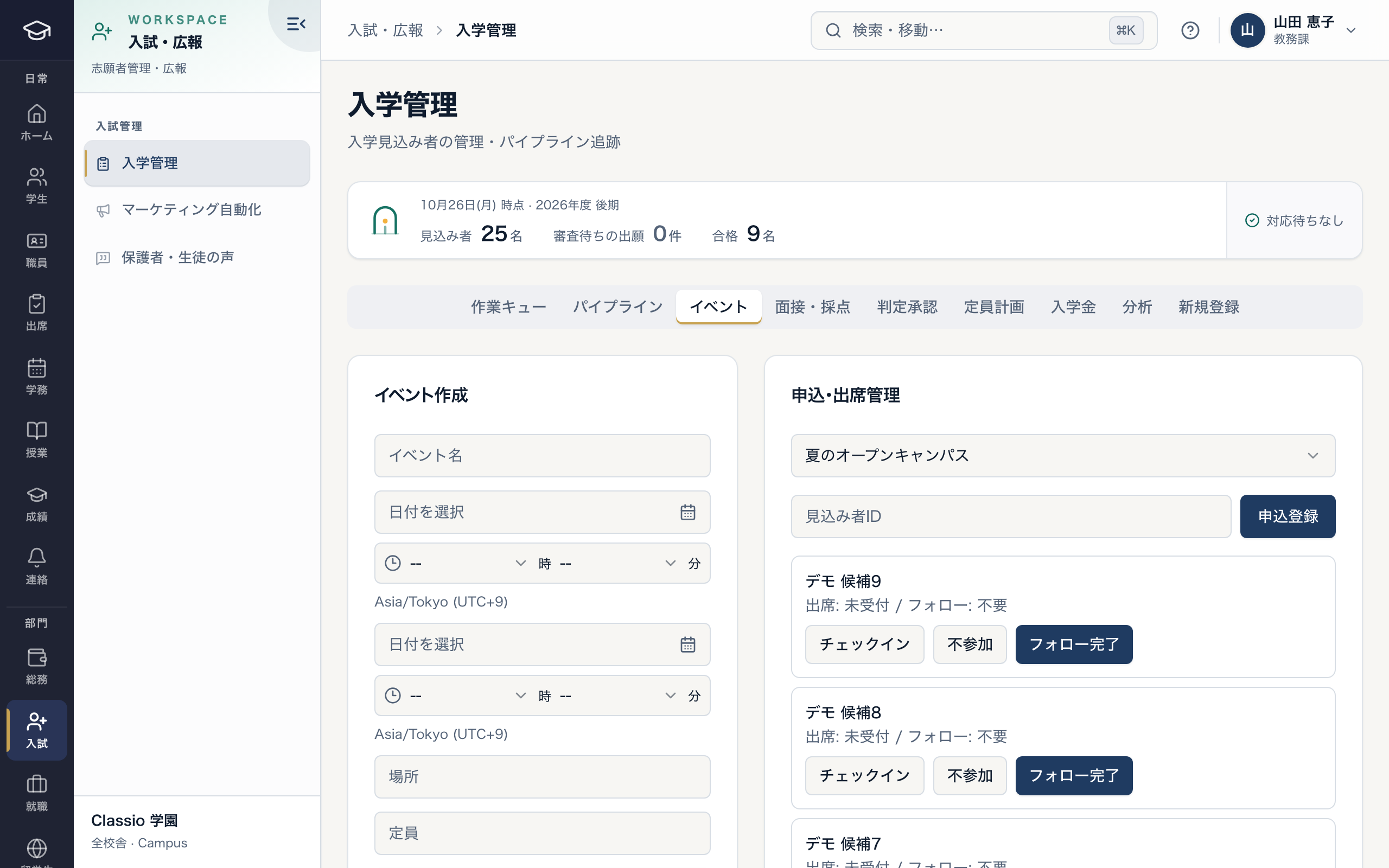
Event sign-ups, attendance and follow-up
- Event name, date, place and capacity
- Sign-ups and attendance per event
- Mark check-in, no-show and follow-up done
Propose decisions against a quota plan; someone else approves
Accept and waitlist decisions need a quota plan per department and entry year. Admissions staff propose a decision with reasons, and the latest scores and interview notes are attached automatically. Proposing does not change the status.
Administrators check the reasons, evidence and quota, then approve or return with a comment. The proposer cannot approve, and nothing is approved beyond the accept quota or waitlist limit. Accepting an international applicant notifies the international office.
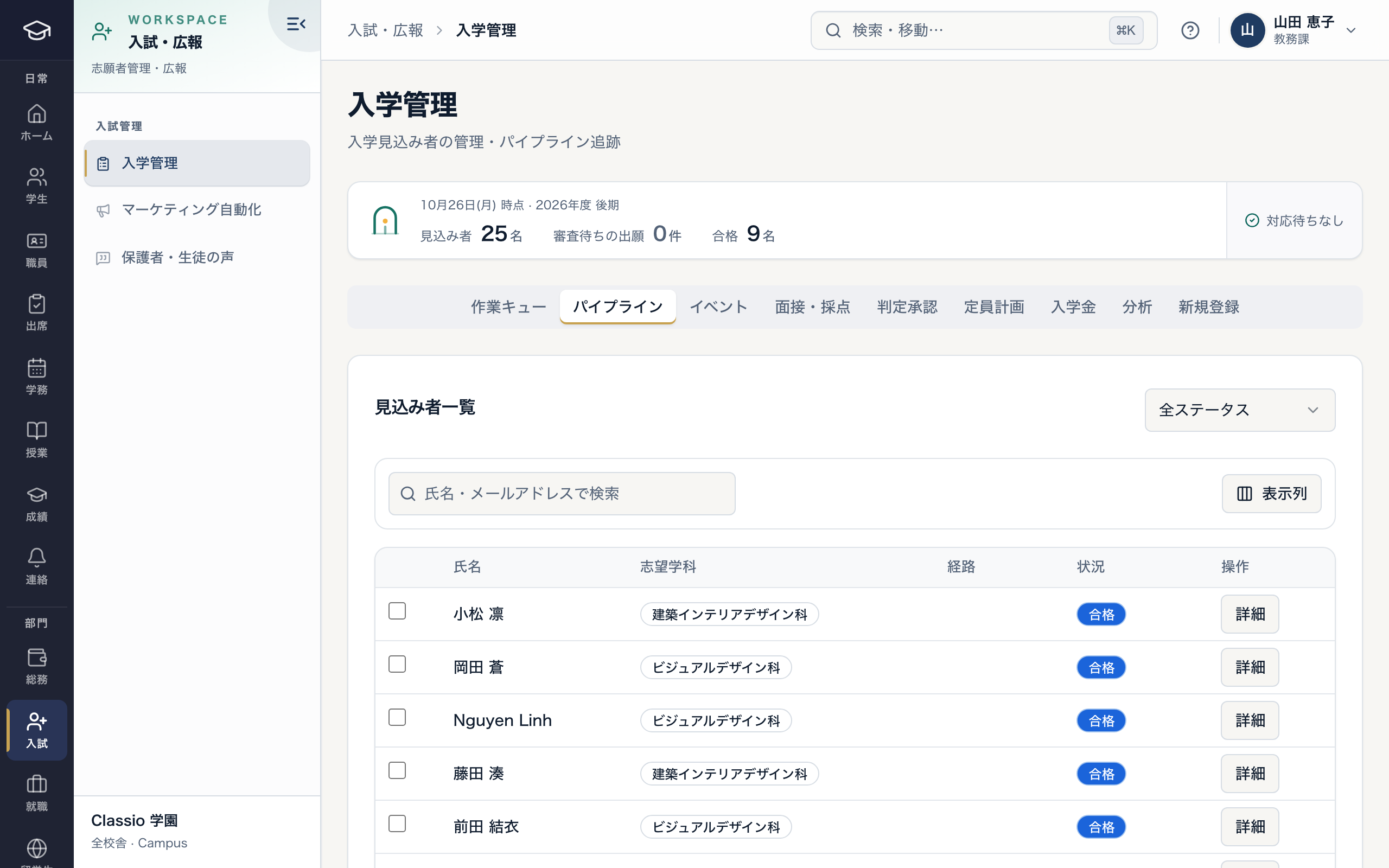
Prospects by status; select accepted ones to register them as students
- Filter by status
- Select accepted applicants to register together
- Accepted, waitlisted and rejected follow approved decisions
Deposits and registering accepted applicants
Accepting an applicant to a department whose quota plan requires a deposit creates an unpaid deposit record. Finance and administrators record payment, waiver, cancellation or refund with a reason; waivers, cancellations and refunds cannot be undone.
Register as student, with a student number, creates the student record and emails a one-time link for identity check and password; the account becomes active once that is done.
Awkward cases
- An accepted applicant declines
- Cancel an unpaid deposit or record a refund for a paid one, and mark the prospect as declined.
- Moving someone up from the waitlist
- Propose the decision again; it becomes accepted once approved, unless the quota is full.
- One person applies to two departments
- Record each department applied for; decisions are proposed against each department’s quota plan.
- Only the proposer could approve
- Proposers cannot approve their own decisions, so name a separate approver.
Differences by kind of school
- Vocational schoolsOpen campus events and portfolio and interview scoring.Vocational schools
- Japanese-language schoolsAccepting an international applicant hands over to the international office.Japanese-language schools
- Universities and junior collegesAccept and waitlist numbers managed by department quota plans.Universities
- Cram and lesson schoolsTrial lessons and school-directory enquiries instead of admissions.Cram and lesson schools
Which plans include it
Admissions is included from STANDARD for vocational schools, Japanese-language schools and universities. Automated marketing email is from PROFESSIONAL.
See pricingWhat it does not do
- The school makes admission decisions; scores are evidence, not the decision.
- The school pays deposit refunds itself; Classio records them.
- The school sets decision criteria and department quotas.
Start from how you work today
See the admissions screens in the demo.
No registration: three minutes with sample data in the work queue, pipeline and events. Tell us how you take applications today and we will suggest how to start.